As a UX Designer for MTS Systems, I was brought onto a team developing a refactored and redesigned version of a legacy software for modern devices. The new application would be built from the ground up to complete the same actions as the previous version, which presented a design opportunity to study user flow efficiency and to develop a new style library. I had access to onsite engineers and product experts to collaborate with on informational interviews, user flow diagramming, guided user testing, and iterative interface design.
UX Designer
UI Designer
Axure
Figma
Python
4 Months:
- Inital Discovery
- User Flow Diagramming
- Interface Design and Development
- Style Library Initial Delivery
User Interviews
Live Demonstrations
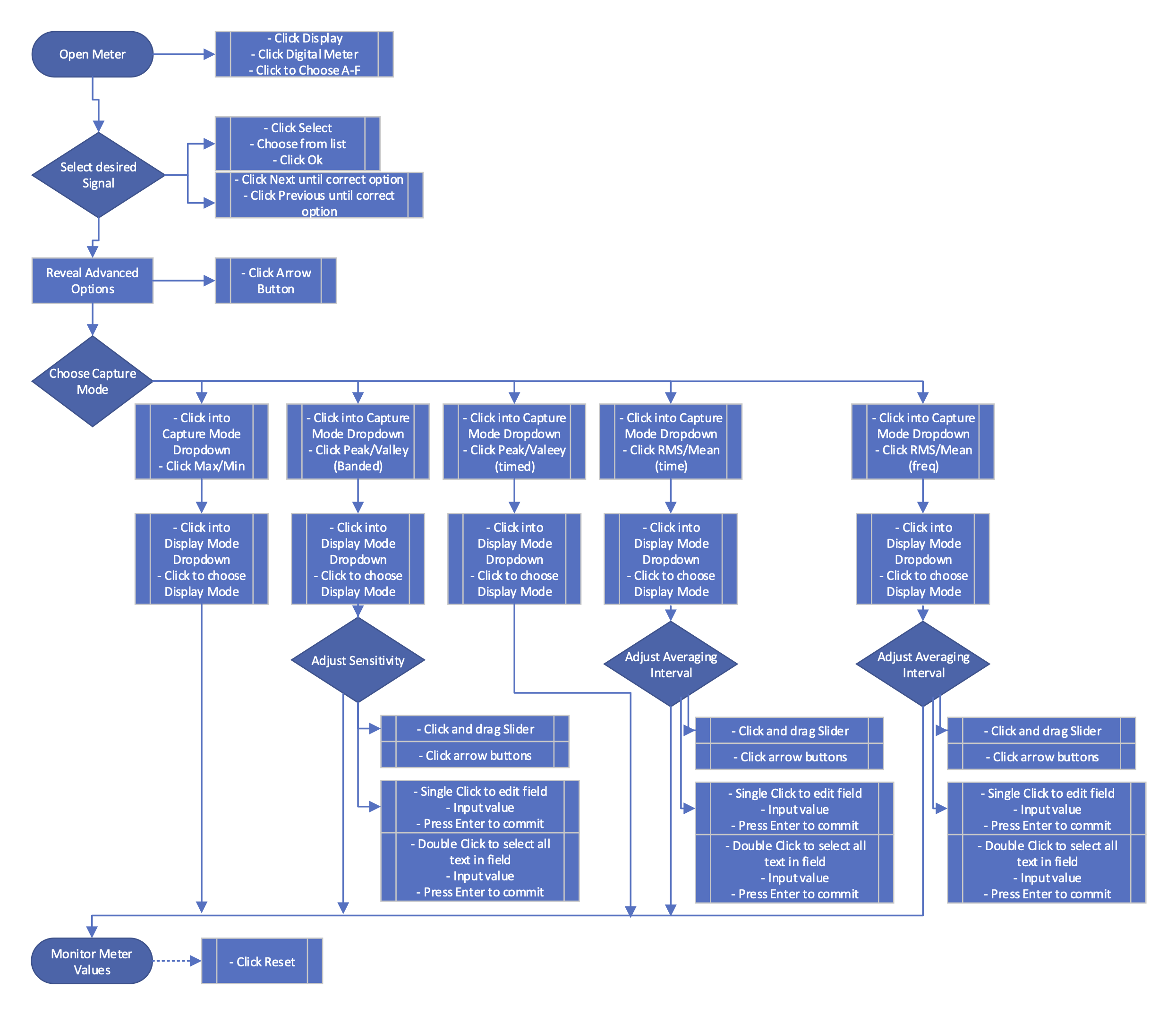
Application Flow Diagramming
Rapid Prototyping and Interating
Initial discovery started with a review of the current software, its functions, and the user processes for executing these functions. This application was used to pilot and maintain a machine with 6 degrees of movement freedom used to perform seismic material testing. With 3 pairs of servohydraulic pistons the 'shake table' or 'hexapod' was able to simulate seismic movements, take measurments during these simulations, and perform calculations on this collected data.
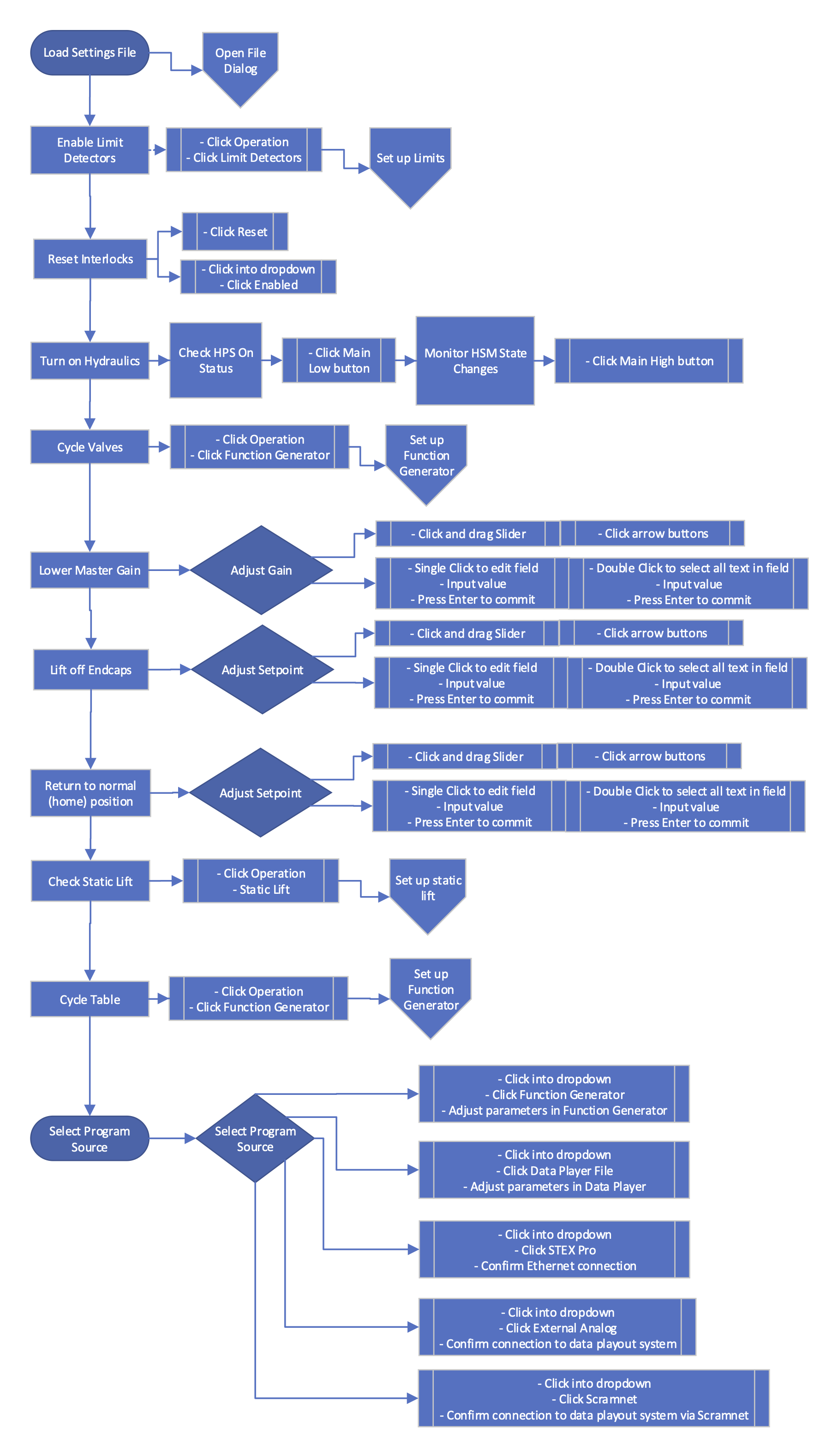
Initial interviews were conducted with engineering staff. Luckily, most MTS engineers worked onsite so interviews were plentiful, casual, and took on a demonstrative angle while I observed the processes of their job functions and how they used the seismic software. From these information gathering sessions, I was able to break the applications down into software features and software processes. The features were the code sets that allowed communication with the machine itself, often literal and simple. Processes were combinations of interactions with features in order to perform the simulations.
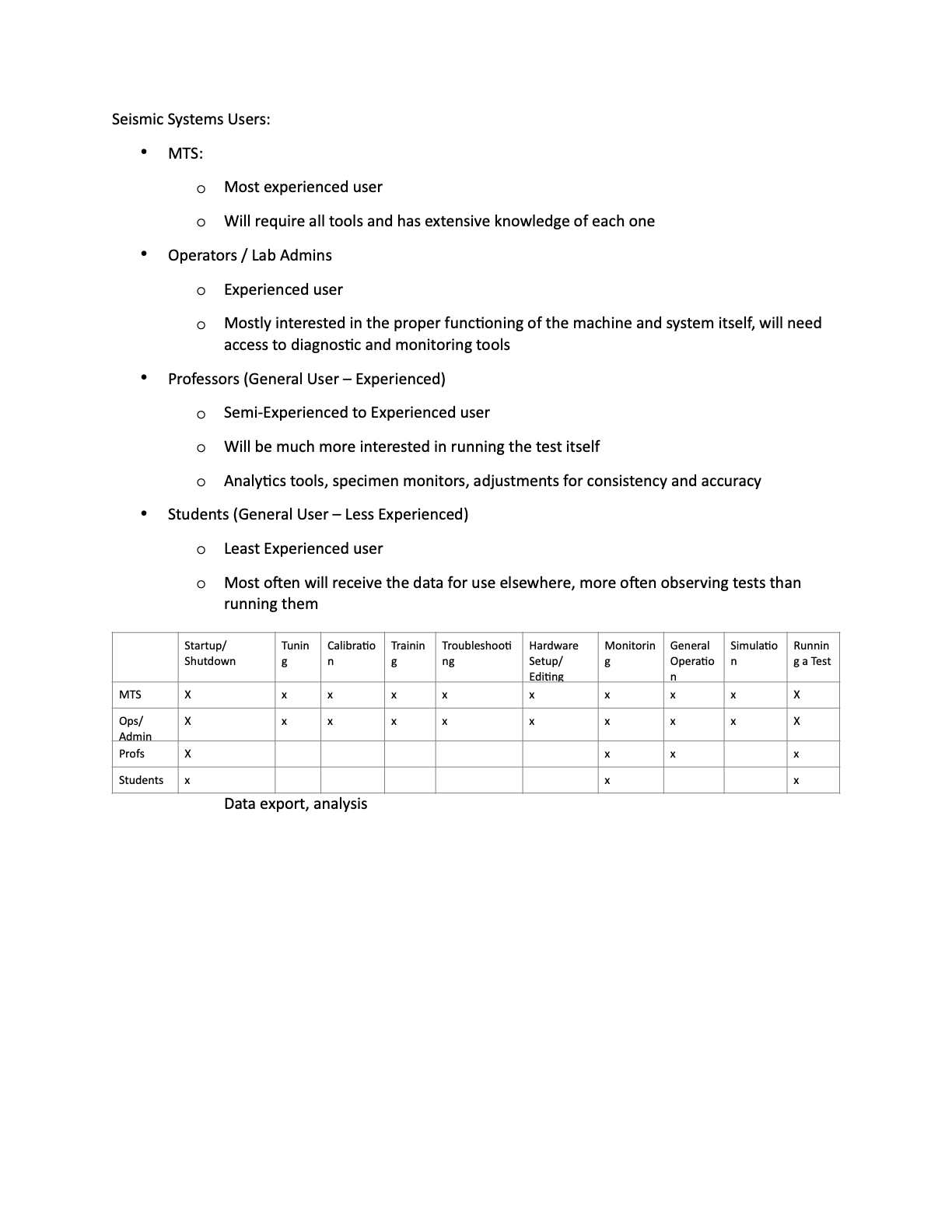
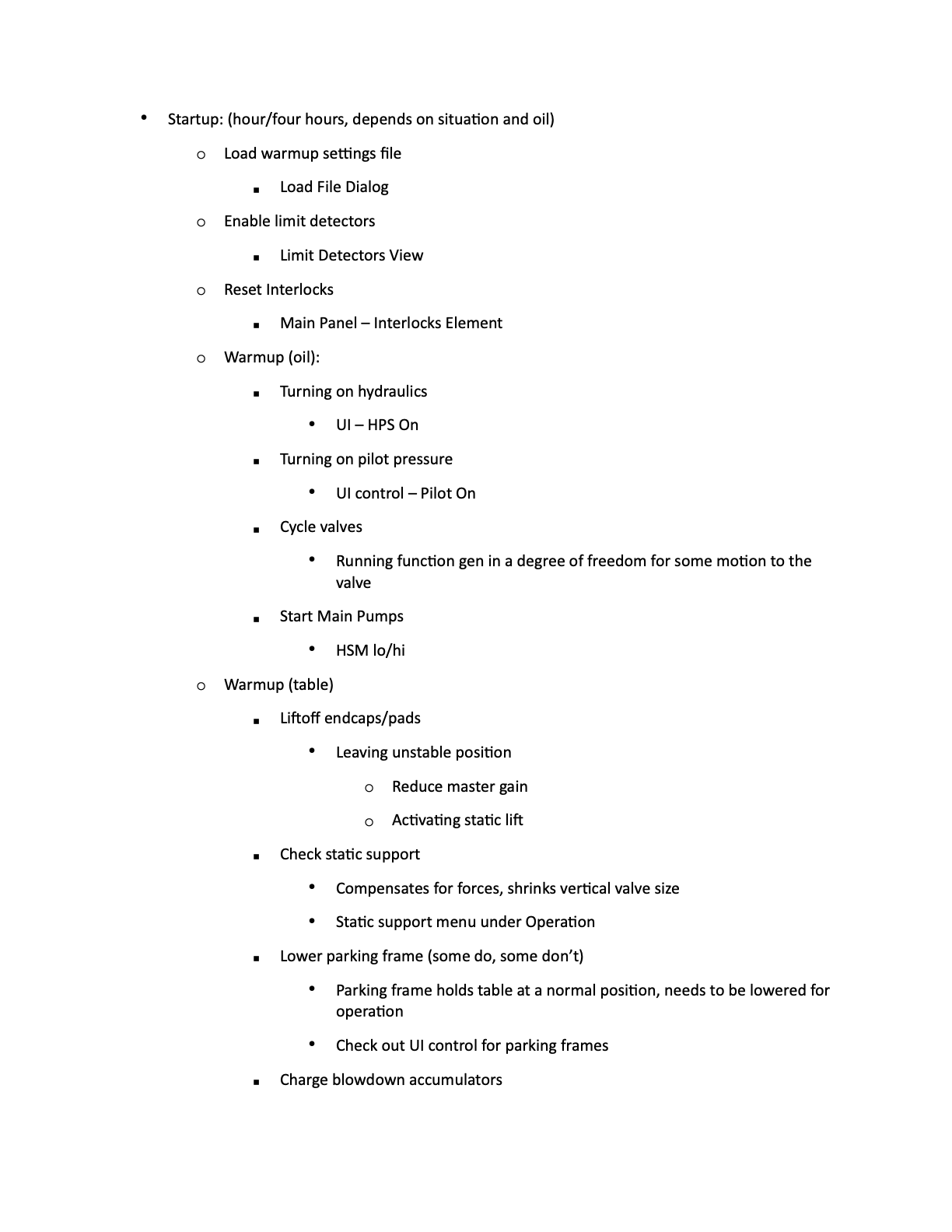
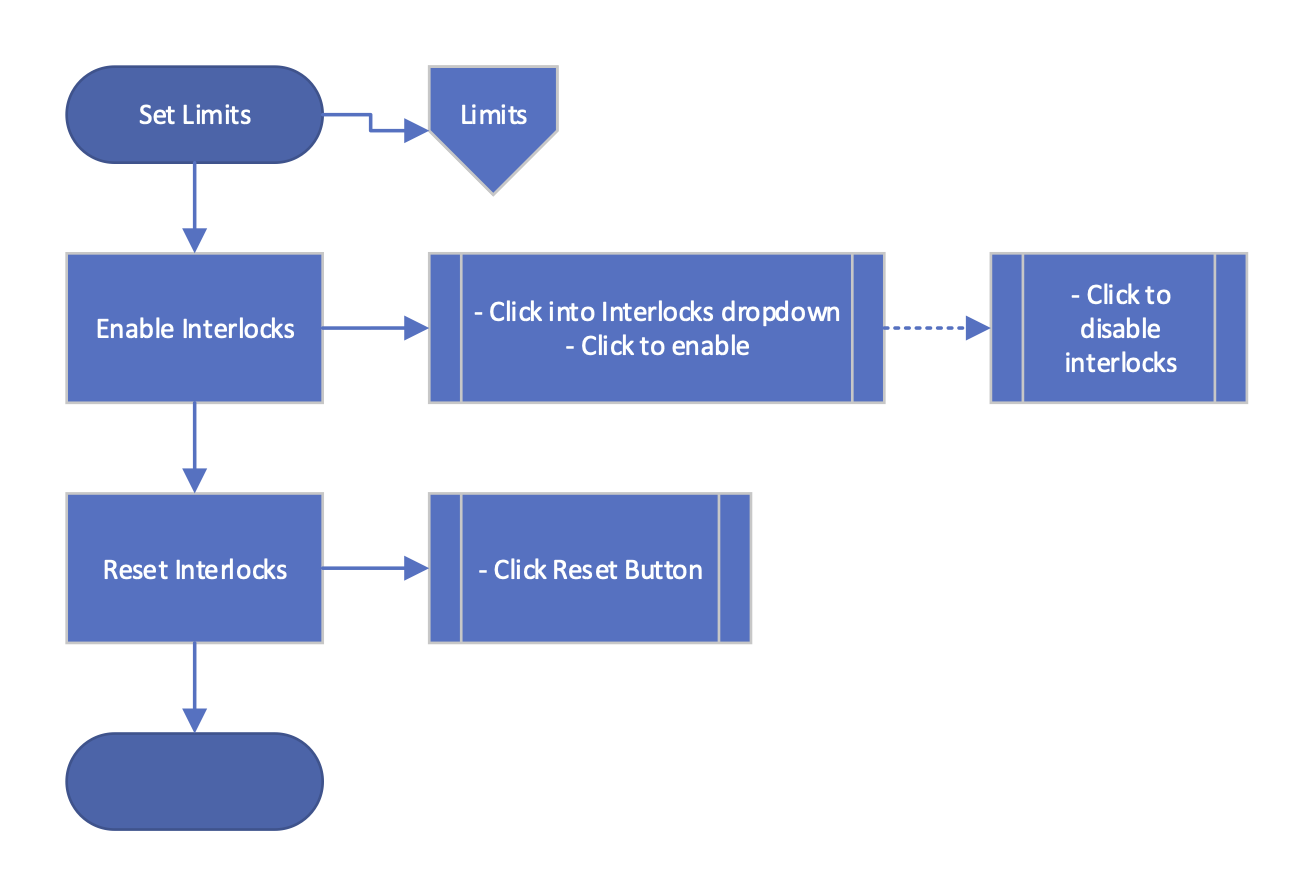
For this project I wanted to keep the core purpose of the application recognizable to the group of users it was meant for. This meant regular meetings with product experts and skilled users to ensure we'd captured the complex processes with enough accuracy to build designs from. With feature and process flows expanded and refined, the team had actionable guides for developing the software function behind the designs.
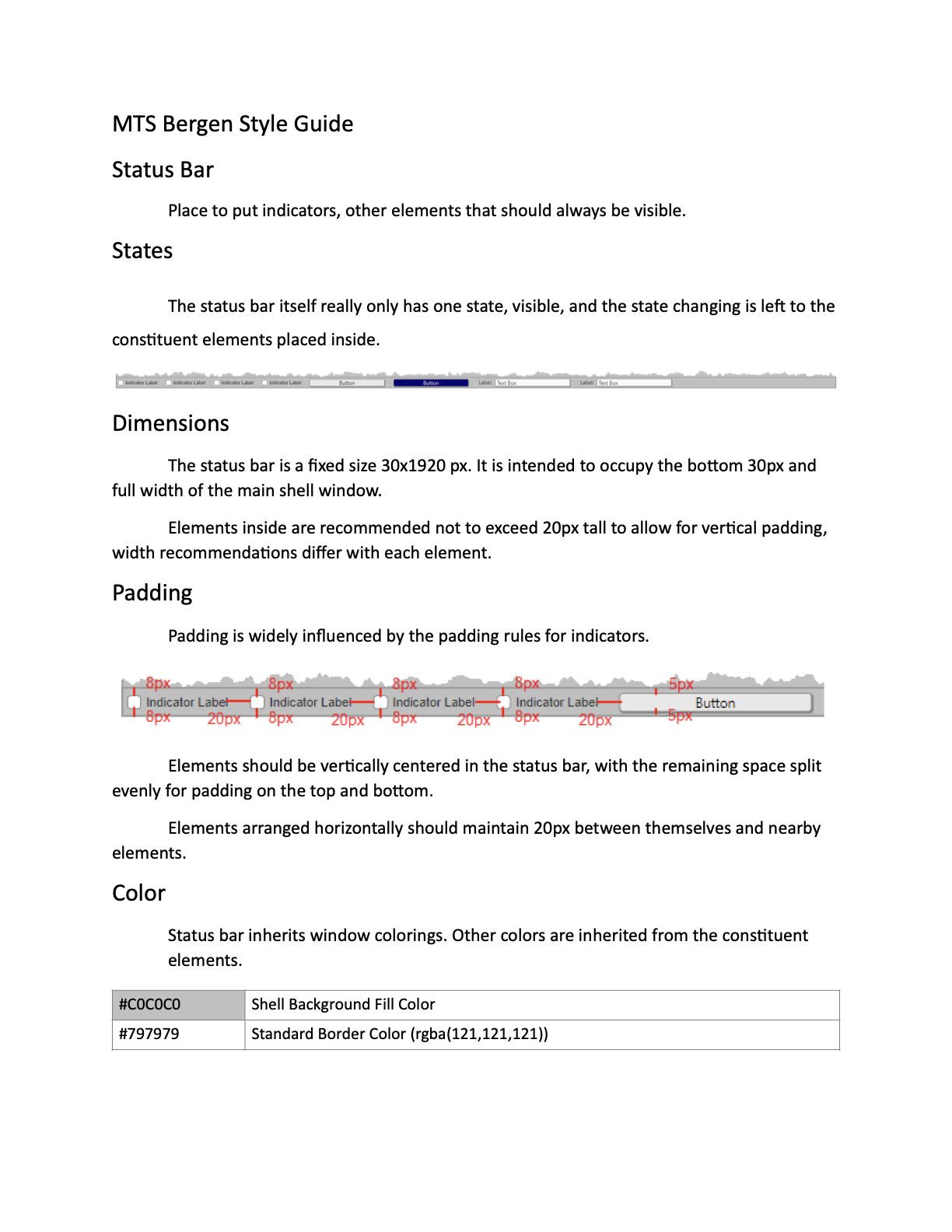
After translating user processes into development processes, it was time to design a modular interface that could be applied across the application views in a variety of different contexts. Instead of designing individual screens for each process, I began work on a unified style library that could be applied by developers as they worked. This sped up the development process, and allowed developers to maintain visual consistency across their implementations. This library would start by defining basic colors, fonts, margins, windowing behaviors, and layout sizings. Later iterations would add new, combined, or updated controls and inputs. Eventually a functional and consistent library occurs, allowing all participants in the application development process to have a consistent and updated reference.
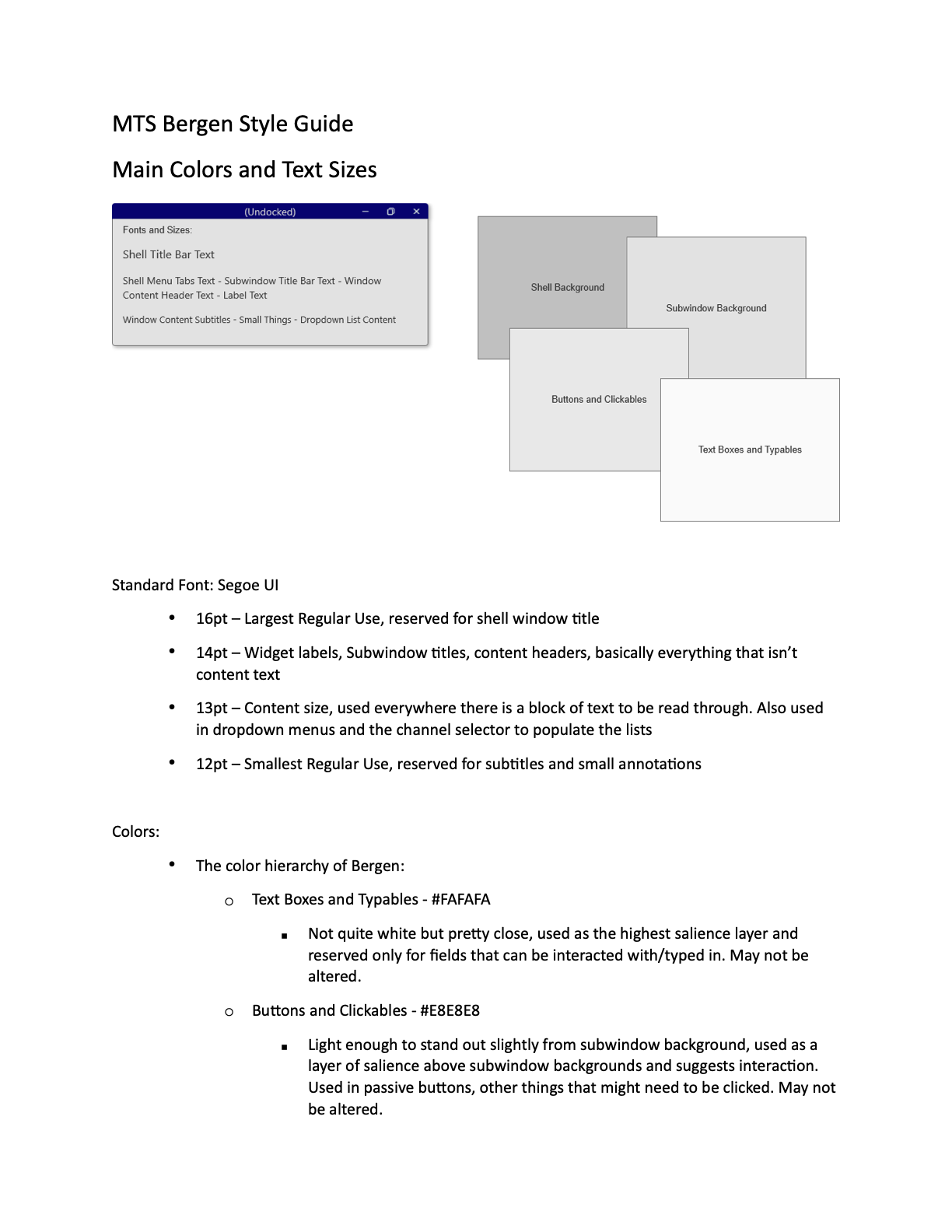
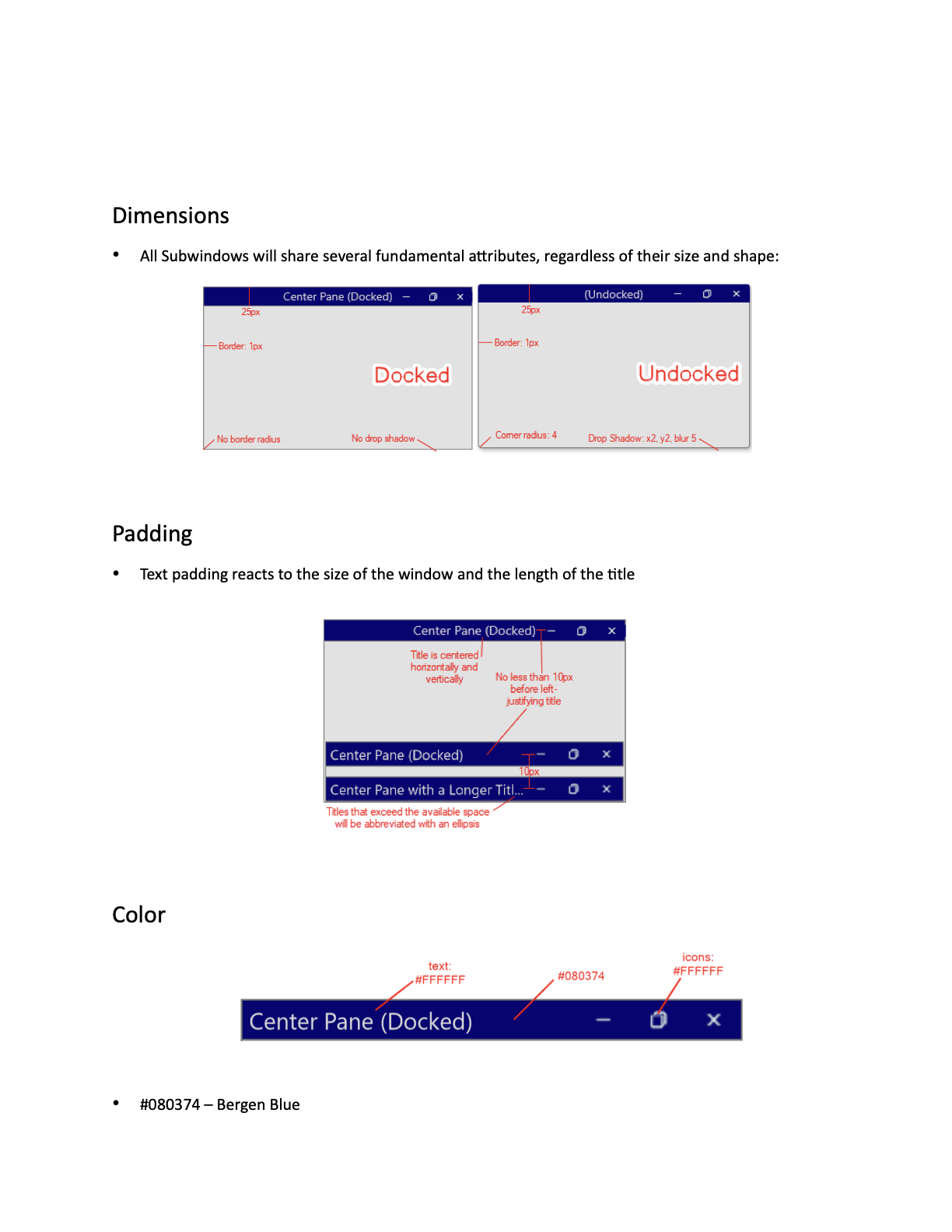
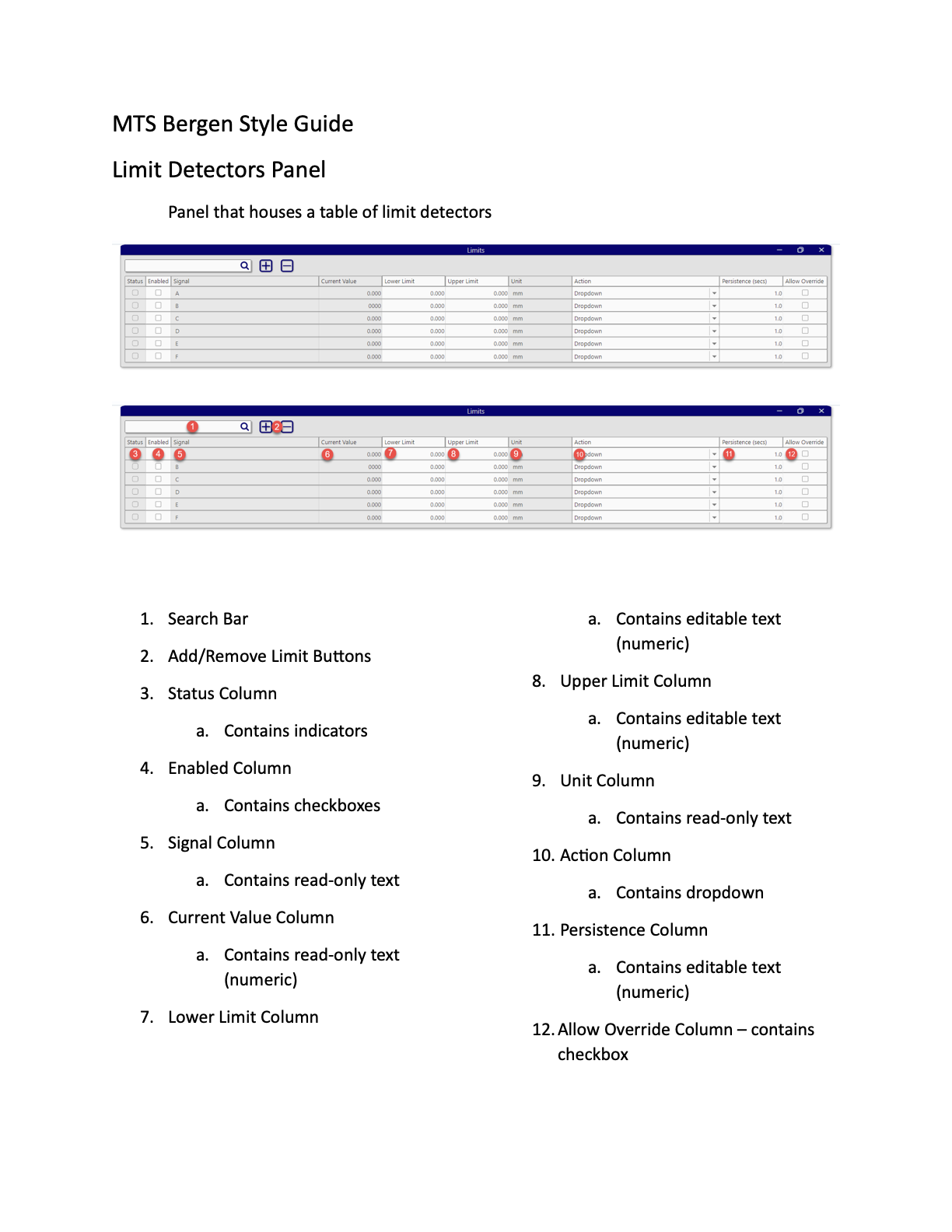
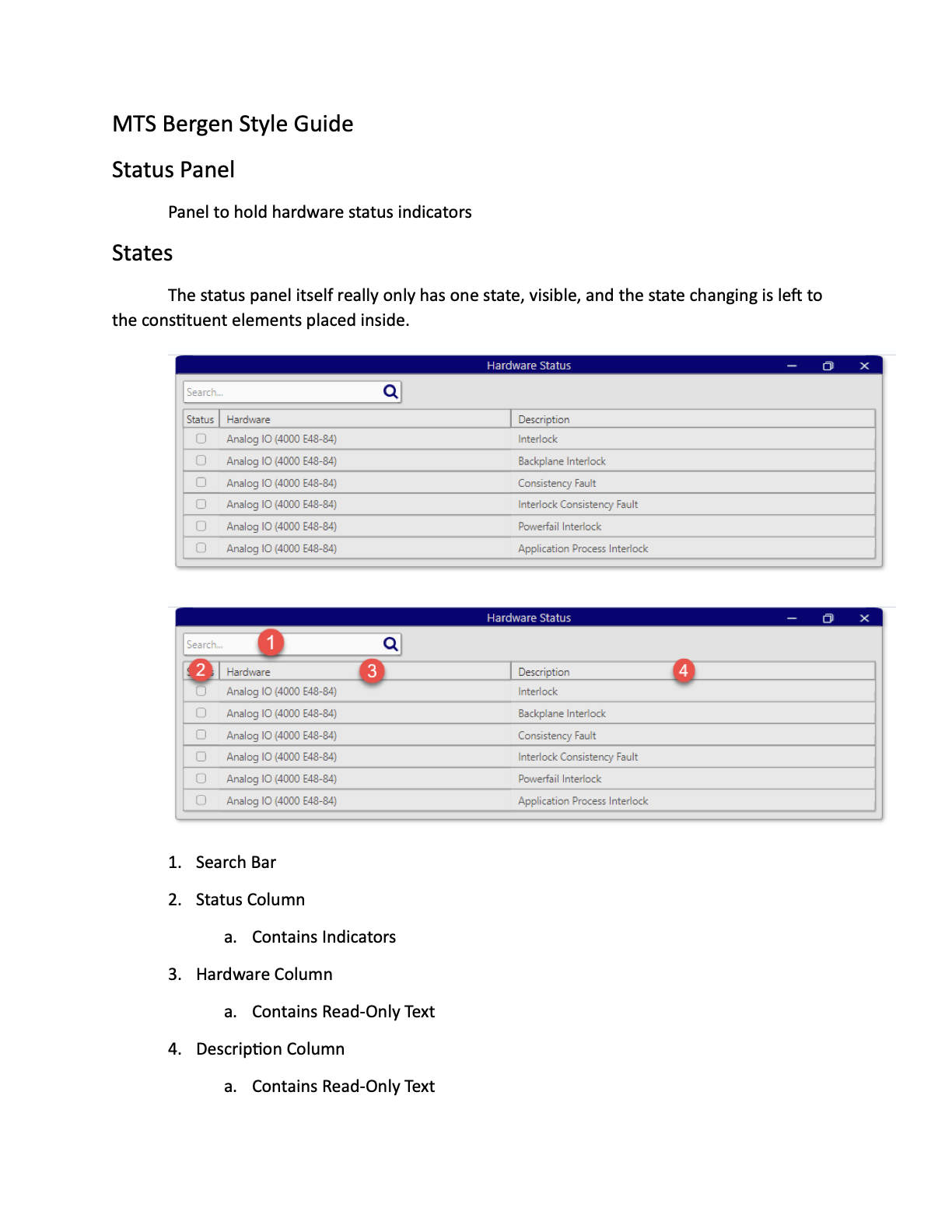
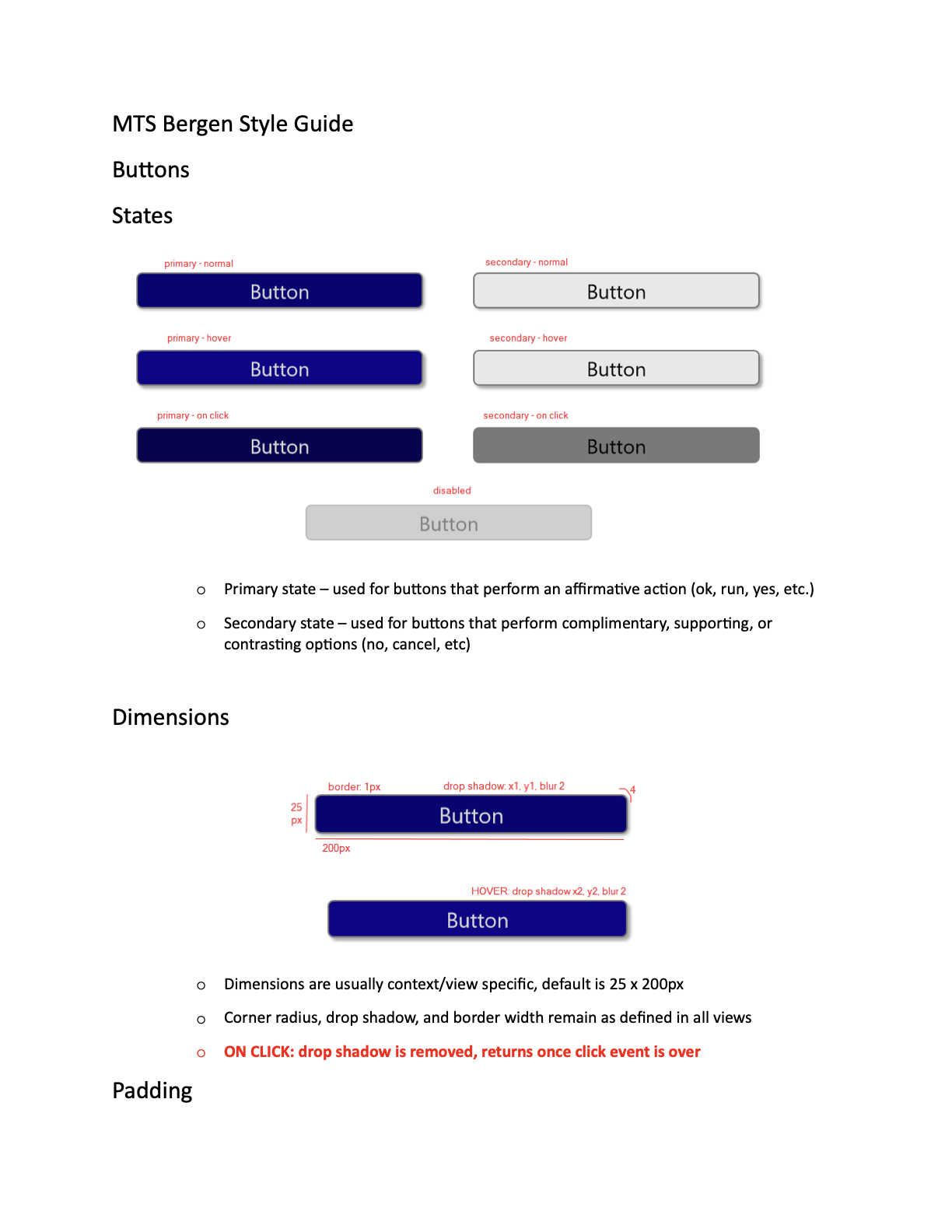
With the developers working to implement the machine control processes on the back end, my primary task was to continue developing the style library components and screens. After the basics had been defined and implemented I moved on to basic inputs like buttons, text boxes, sliders, labels, and indicators. These components are the small pieces that build up an interface. With them well defined developers can build a working application with richer interactions and faster implementation.
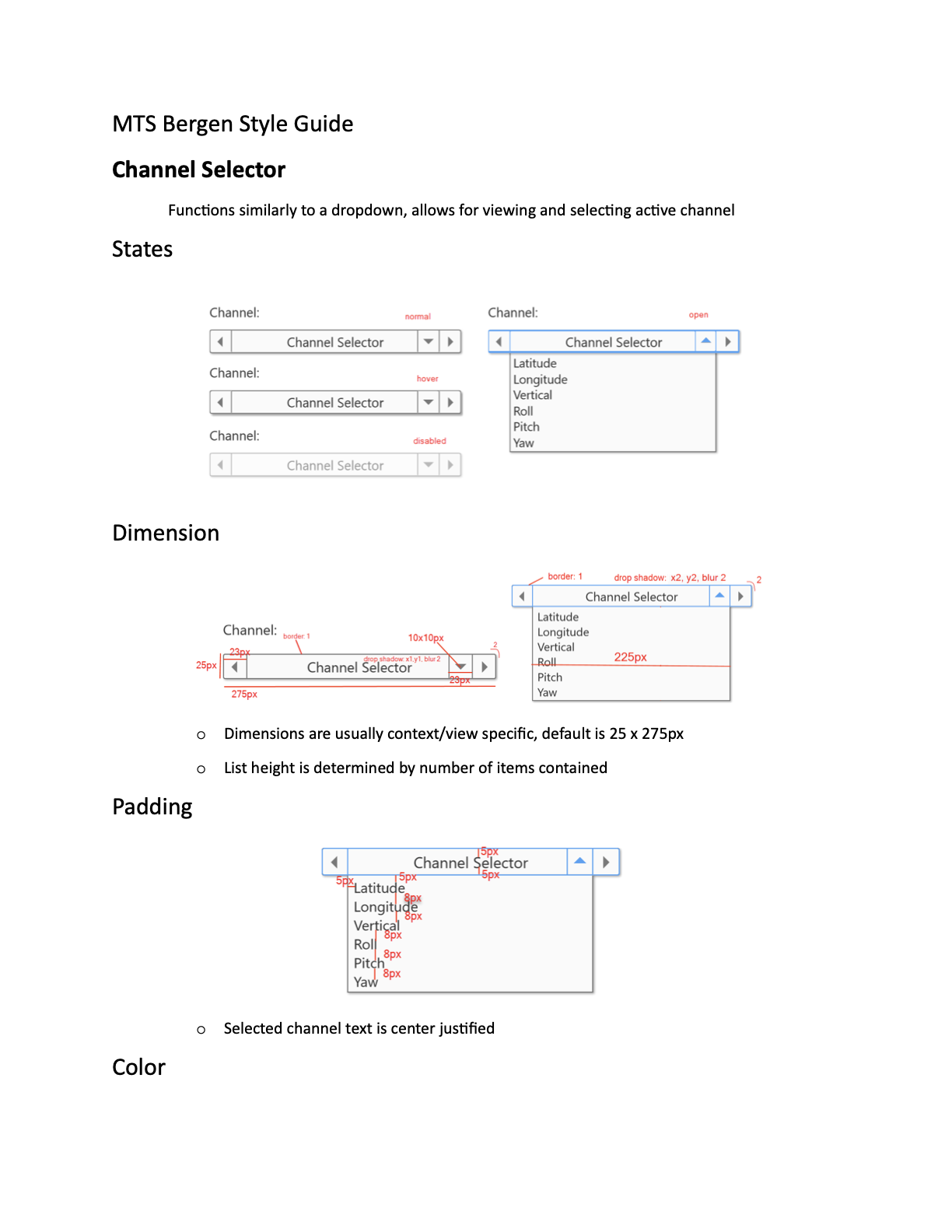
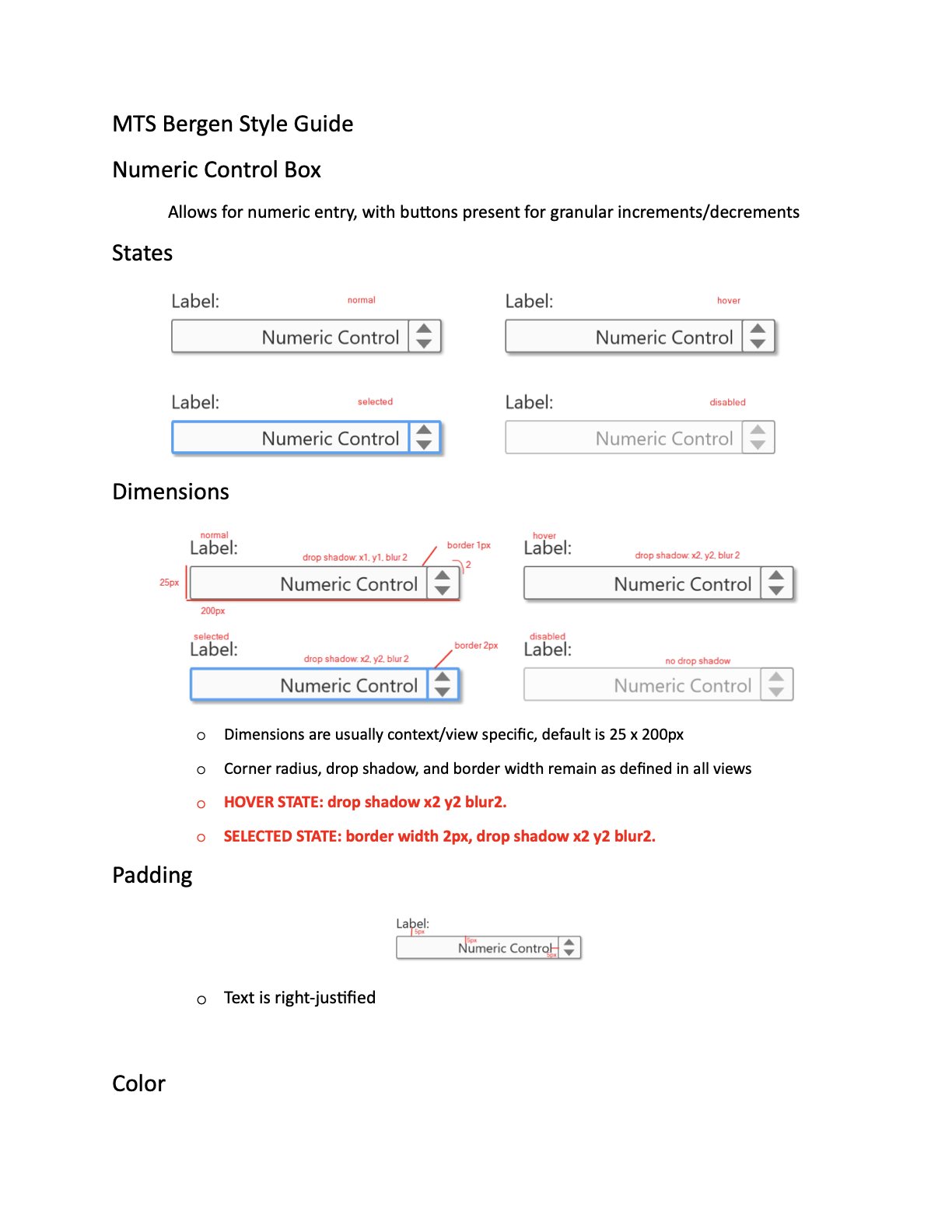
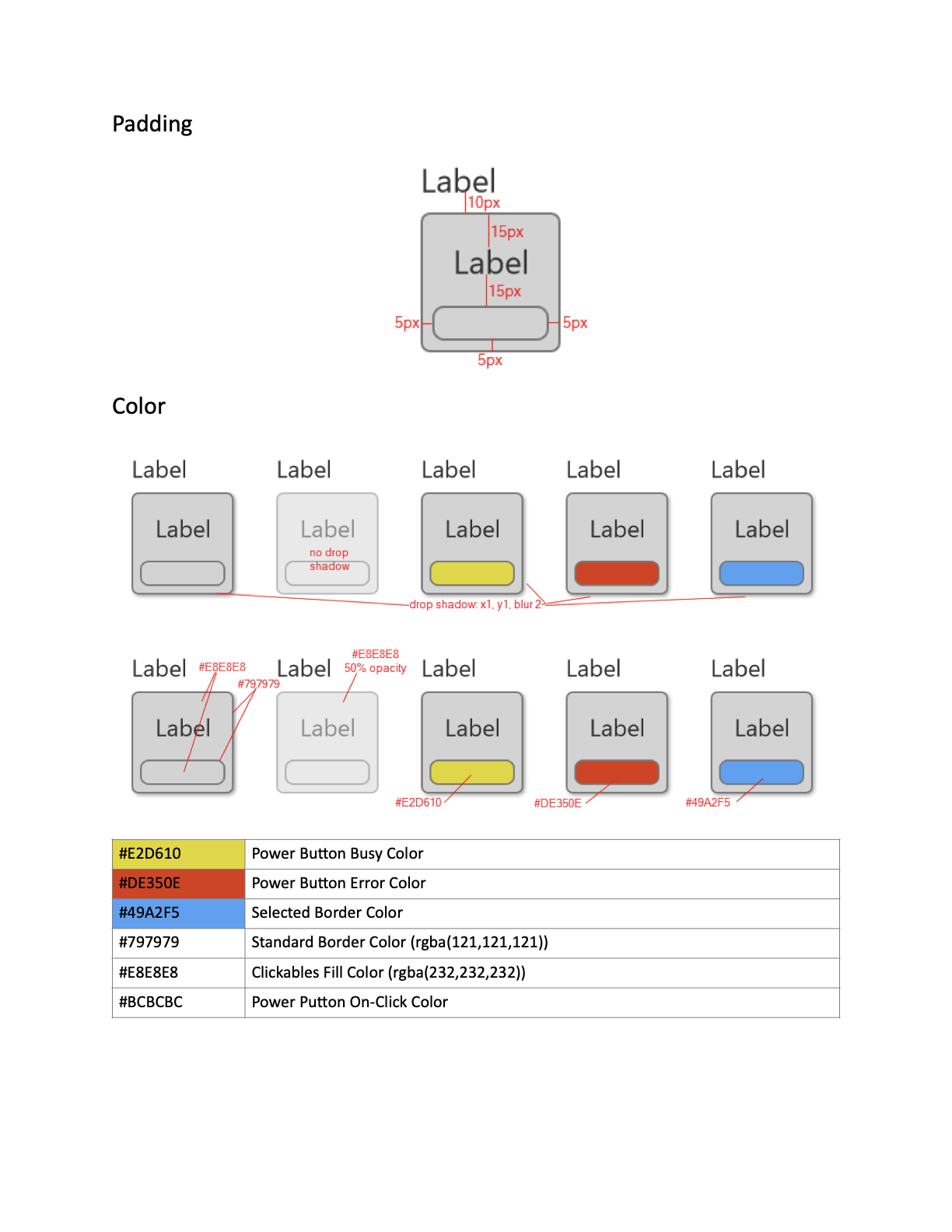
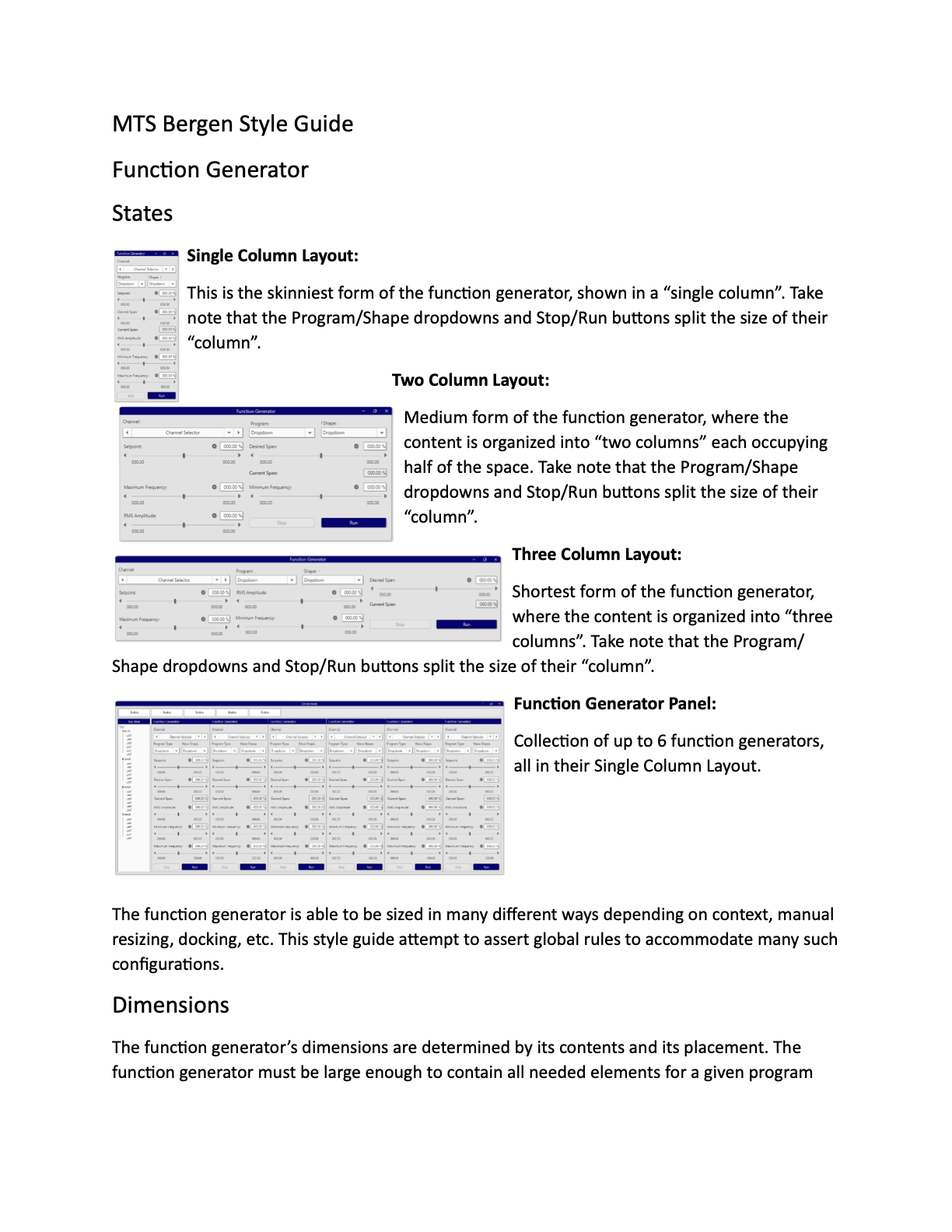
Well defined basic elements yield consistent and informed interfaces. With the style library more mature, I was able to define full view layouts for different functions of the application. Developers were able to use these designs to write working implementations of the application function. These screens represent some basic elements of running an incredibly complicated machine, but their design and implementation represent an extensible design language that can be applied to any amount of complexity.
It's modern and clean, reducing visual complexity for the user. It's spacious and flexible, allowing detailed and dense information to be understood easier. Most importantly it's familiar to the very experienced user base that will be utilizing this software for their everyday operations.